Skip to content

From stress to enjoyment

Why I built eclipseClick — and why eclipse capture software should be invisible.

Swaroop Shere

Swaroop Shere

Creator of eclipseClick

I'm a software engineer by profession and a hobbyist astrophotographer who lives primarily in the deep sky world — galaxies, nebulae, and the quiet patience of long-exposure imaging. But ever since the 2012 annular solar eclipse tore through California and I stood under that ring of fire, I've had a parallel obsession: eclipses. There's nothing else in astronomy quite like totality — the urgency, the beauty, and the fact that you get exactly one shot.

2012 — Where It All Began

I caught the eclipse bug with the annular eclipse in California. Standing under that ring of fire, watching the world go strange and dim around me — I was hooked. I knew I'd be chasing eclipses for the rest of my life.

2017 — First Totality in Mitchell, Oregon

My first total eclipse. An absolutely life-changing experience. I used Eclipse Orchestrator to automate my captures, and I was genuinely impressed by what it could do. I got some good shots, though being my first time automating a total eclipse, I ran into some issues with missed frames and focus. Totally understandable for a first attempt — there's a learning curve to any automation setup, and nothing truly prepares you for the adrenaline of totality.
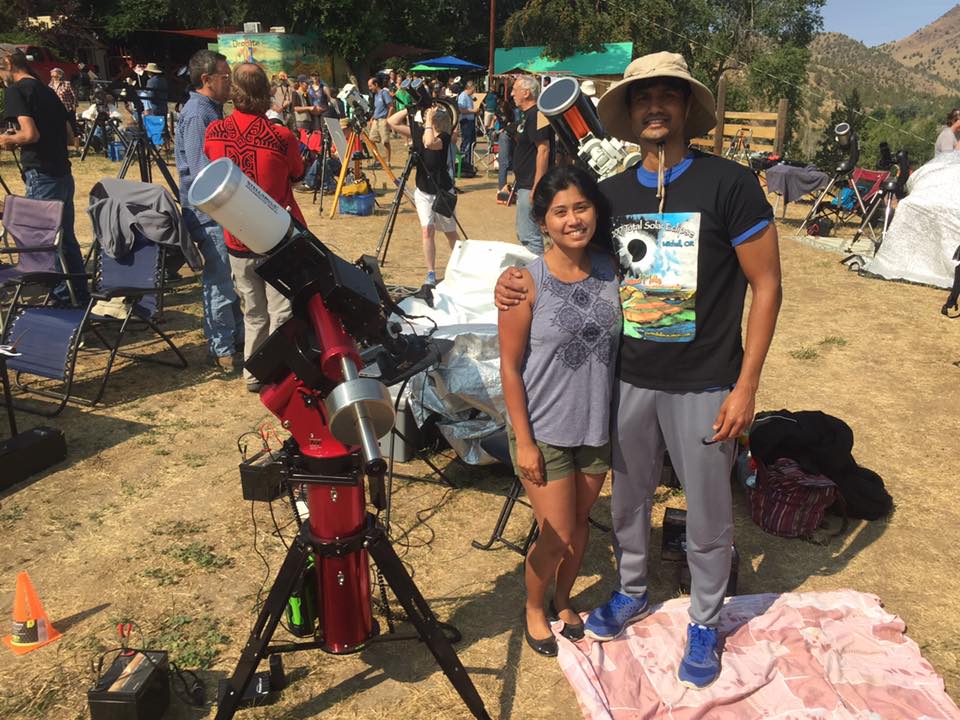
Swaroop Shere with telescope setup at the 2017 total solar eclipse in Mitchell, Oregon

Mitchell, Oregon, 2017 — first totality

2024 — Mazatlan with Family

By the time the 2024 eclipse rolled around, I was much more prepared. Better camera, more experience, and I'd gotten really precise with my automation scripts. I watched from Mazatlan with my wife and kid — their first total eclipse — and the captures came out significantly better.

But here's what stayed with me after 2024: the stress.

The countless practice runs leading up to eclipse day. Going over scripts again and again. The hours of anxiety the morning of. Despite all that preparation, I still hit some issues during totality. At some point I made the decision to just let go and be present with my family — and I'm glad I did.

But I kept thinking afterward: it shouldn't have to be this way.
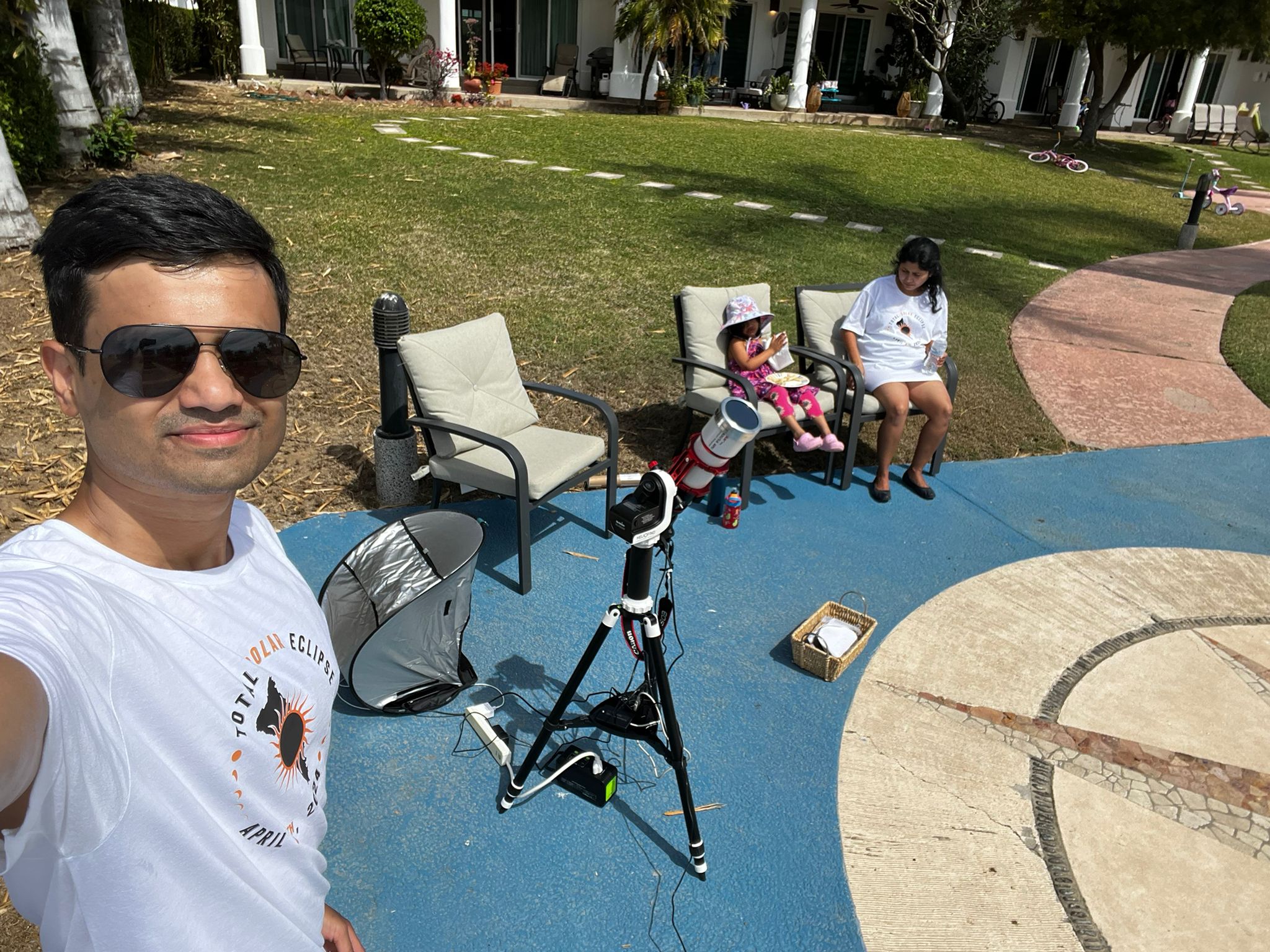
Swaroop Shere with his eclipse photography setup in Mazatlan, 2024

Mazatlan, 2024 — eclipse day setup with the family

The Idea — Invisible Software

I don't think the stress was any single tool's fault. Eclipse automation is genuinely hard — you're coordinating precise timing, camera communication, exposure bracketing, and you get exactly one chance to get it right.

But the experience planted an idea in my head:

What if eclipse capture software could be invisible?

Not invisible as in featureless — invisible as in: you set it up, you trust it, and on eclipse day your attention is on the sky and the people next to you, not on your laptop.

Building eclipseClick

That's what led me to build eclipseClick — a desktop app for automated eclipse photography, designed around one core principle: once you've set up your plan, eclipse day should feel calm.

eclipseClick is built on the shoulders of tools like Eclipse Orchestrator and Solar Eclipse Maestro. I learned a huge amount from using Orchestrator across two eclipses, and that experience directly shaped what I'm building. This isn't meant to replace what those tools have done for our community. It's my attempt to take everything I've learned and push toward that "invisible software" feeling.

Connect and go

Plug in your Canon or Nikon camera over USB. eclipseClick handles the rest — exposure settings, focus, shutter control, image download.

Rehearse until you trust it

Simulation mode lets you run your entire eclipse sequence without a camera. Watch every exposure fire. Build confidence before eclipse day.

Precise timing

Automated exposure sequences tied to C1 through C4 contact times. Bracketed exposures for HDR composites during totality.

Then let go

On eclipse day, start the sequence and look up. Be present with the people next to you.

Frequently Asked Questions

What camera bodies does eclipseClick support?

Canon: Any Canon body that works with EOS Utility should work with eclipseClick. The Canon integration uses the EDSDK for full property control — shutter speed, aperture, ISO, focus, and image download over a single USB cable.

Nikon: Nikon cameras are supported via the MAID SDK — the same underlying SDK that Nikon's own software uses. We're actively expanding testing on Z-series mirrorless bodies.

We maintain a growing compatibility list and are actively looking for testers with different camera bodies to help expand coverage.

How does timing accuracy work?

Exposure sequences are scheduled relative to contact times using high-resolution timers. eclipseClick focuses on making timing visible and verifiable — in simulation mode you can watch the entire sequence play out and see exactly when each exposure fires relative to each contact.

The goal is that by eclipse day, you've already seen the whole sequence run successfully multiple times and you trust it.

I already use Eclipse Orchestrator / Solar Eclipse Maestro. Why switch?

If your current setup works and you feel confident with it — that's great, keep using it. The last thing anyone should do is change their entire automation workflow right before an eclipse.

eclipseClick might be worth a look if:

  • You're a Nikon shooter and haven't found native SDK automation support
  • You're setting up automation for the first time and want a modern starting point
  • You're curious about trying something new and have enough lead time to do proper dry runs

We'd love to hear what makes your current setup feel reliable — that's the kind of insight that makes eclipseClick better for everyone.

What platforms does it run on?

Currently Windows. The app is built on Electron, so Mac and Linux support are architecturally possible and on the roadmap. Windows is the priority for now to ensure rock-solid stability before expanding.

Does it support DSUSB / serial shutter control?

Yes. eclipseClick supports DSUSB for shutter control in addition to native SDK control. You can choose:

  • Native SDK (Canon EDSDK / Nikon MAID) — full camera control over USB
  • DSUSB — shutter-only control for simplicity and reliability

Some photographers prefer a belt-and-suspenders approach: control settings via SDK but trigger the shutter via DSUSB. That's supported too.

What about Sony or other camera brands?

Right now it's Canon and Nikon. Those two cover the majority of eclipse chasers, so that's where we started. The architecture is designed to be extensible — the camera communication layer is abstracted so adding a new vendor doesn't mean rewriting the app. Sony is the next logical addition.

Is eclipseClick free?

eclipseClick has a free tier with core functionality including eclipse computation, basic camera control, and simulation mode. The Pro tier unlocks advanced features like lunar limb corrections, GPS timing, visual timeline builder, and more. See our pricing page for details.

When's the next eclipse?

The next total solar eclipses are:

  • August 12, 2026 — Spain, Iceland, Greenland
  • August 2, 2027 — Spain, North Africa, Middle East

Now is the perfect time to start testing. Plenty of runway to do dry runs, find edge cases, and get comfortable with the tool before eclipse day.

The next total eclipse is August 12, 2026

Start testing now. Download eclipseClick and rehearse your capture sequence before eclipse day.