Everything you need for eclipse photography
From computing precise contact times to automating multi-camera capture sequences, eclipseClick is the most complete eclipse photography tool available.
Eclipse Computation Engine
Accurate contact times for 26 solar eclipses from 2024 to 2100. The Besselian element solver computes C1–C4 contacts for any location on Earth.
- Sub-second accuracy for all four contact points
- Works for any GPS coordinate worldwide
- Auto-fill timezone and altitude when you click the map
- Lunar limb corrections for precise diamond ring timing (Pro)
- GPS-refined coordinates for field adjustments (Pro)
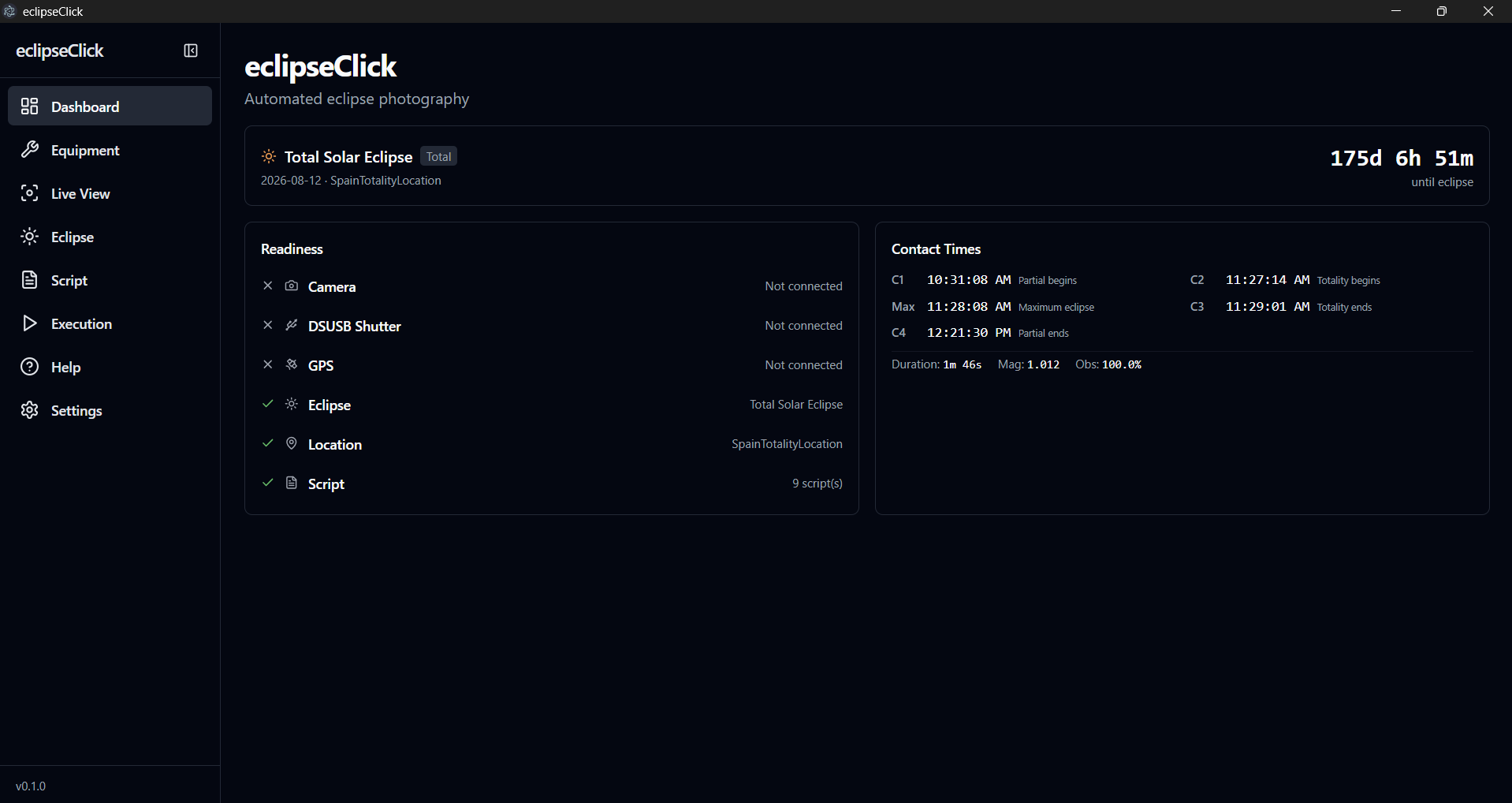
Camera Control
Native SDK integrations give you full control over your camera settings — shutter speed, aperture, ISO, and more — all from the app.
- Canon cameras via EDSDK — full property control
- Nikon cameras via MAID SDK — shutter, aperture, ISO
- Sony cameras via Camera Remote SDK — full property control (beta)
- Sensor size auto-detection with crop factor display
- DSUSB shutter control for any camera
- Real-time camera status and live view
Multi-Camera Support
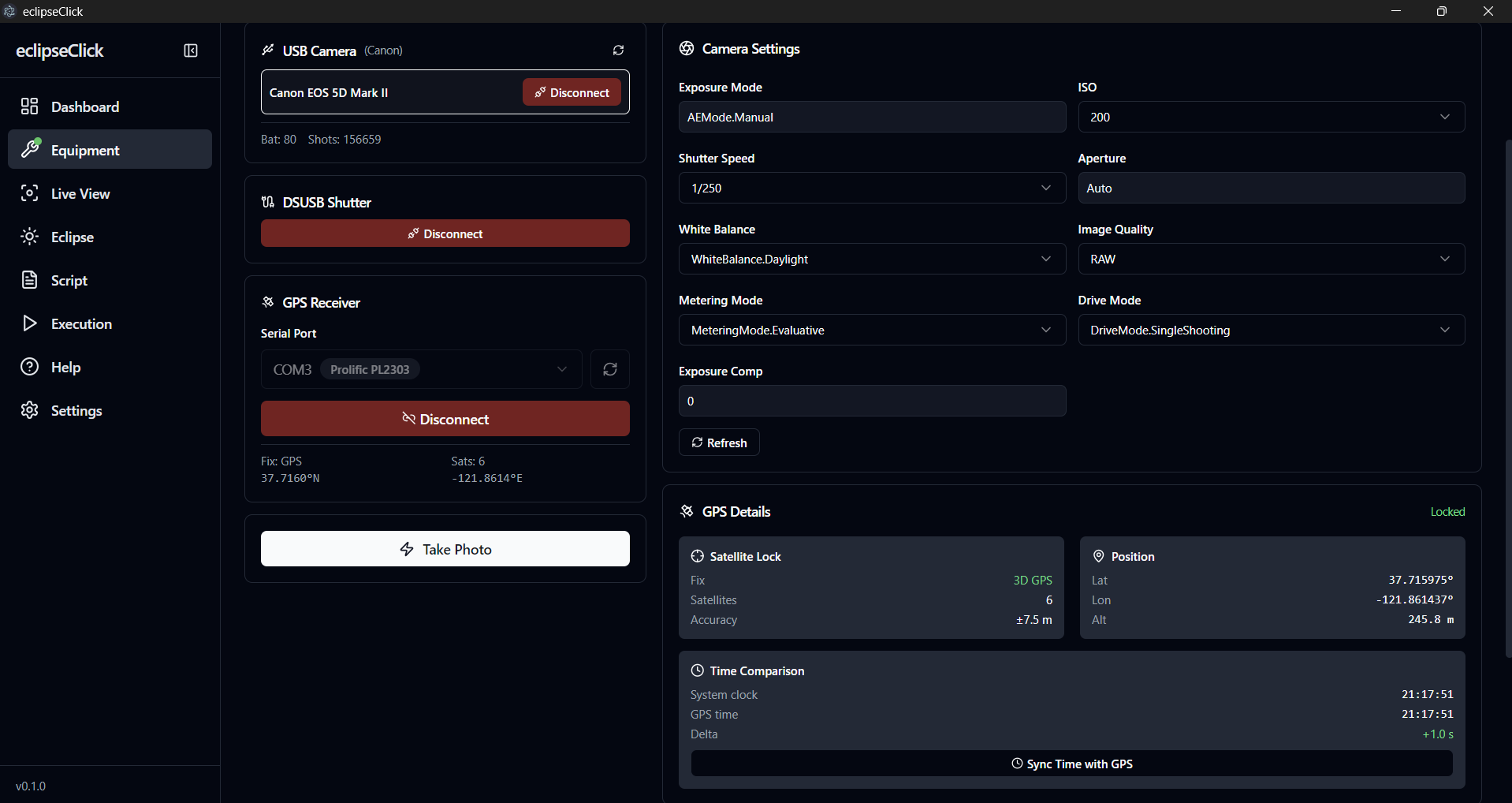
Pro featureControl up to 3 cameras simultaneously with independent settings, scripts, and capture sequences for each slot. Perfect for wide-field, telephoto, and backup setups.
- Up to 3 cameras running simultaneously (Pro)
- Per-slot architecture — each camera gets its own settings and script
- Mix vendors: Canon + Sony + Nikon in the same session
- Independent live view for each camera slot
- Unified execution engine coordinates all cameras
Script System
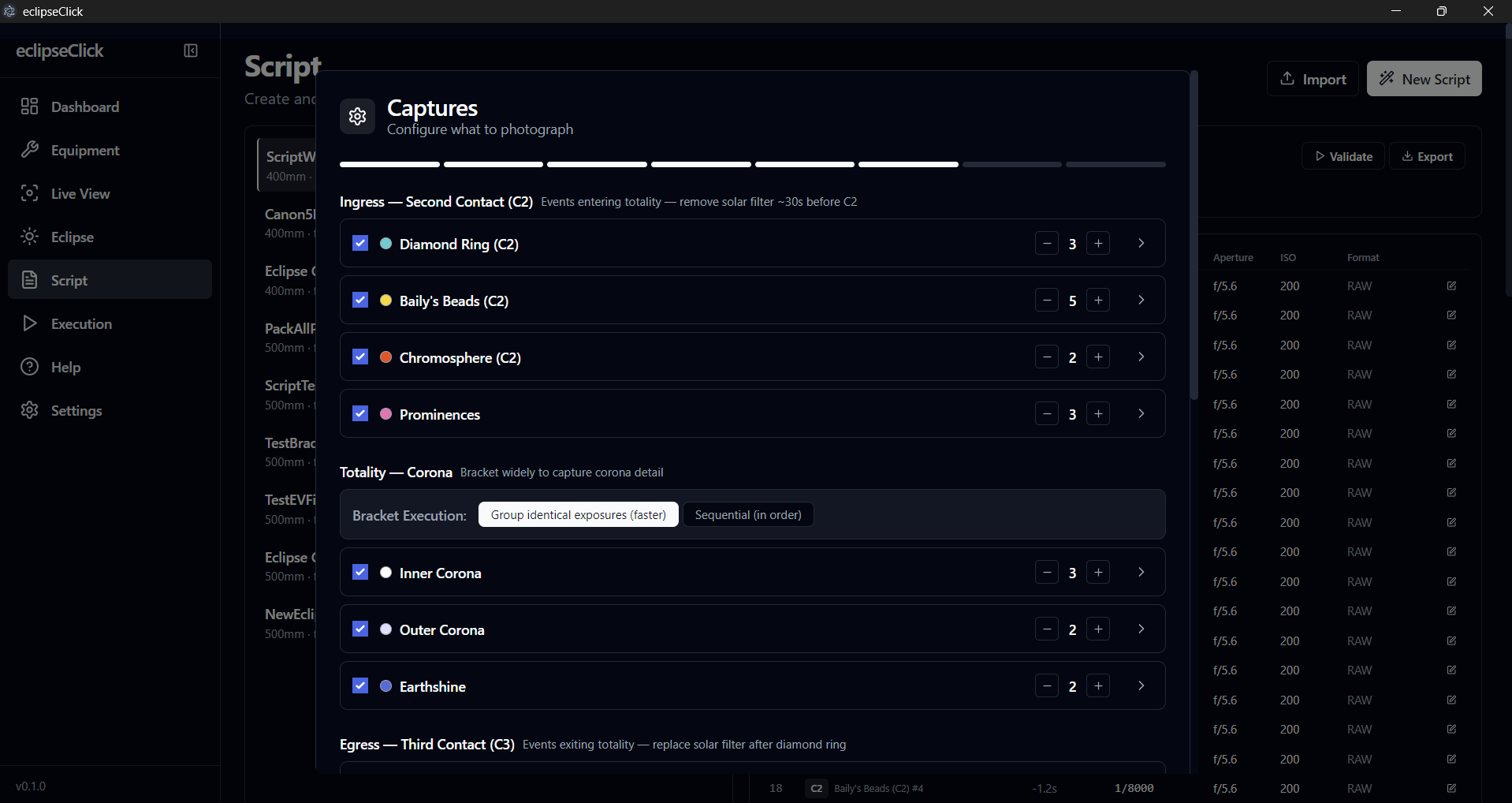
Pro features availableBuild your capture plan step-by-step with the 8-step wizard. Define exposure brackets, intervals, and timing triggers tied to eclipse contacts.
- 8-step wizard walks you through script creation
- Automatic validation catches errors before the eclipse
- Solar filter mode with 16x filter factor for partial phase exposures
- Visual timeline builder shows your plan on a timeline (Pro)
- Import and export scripts to share with others (Pro)
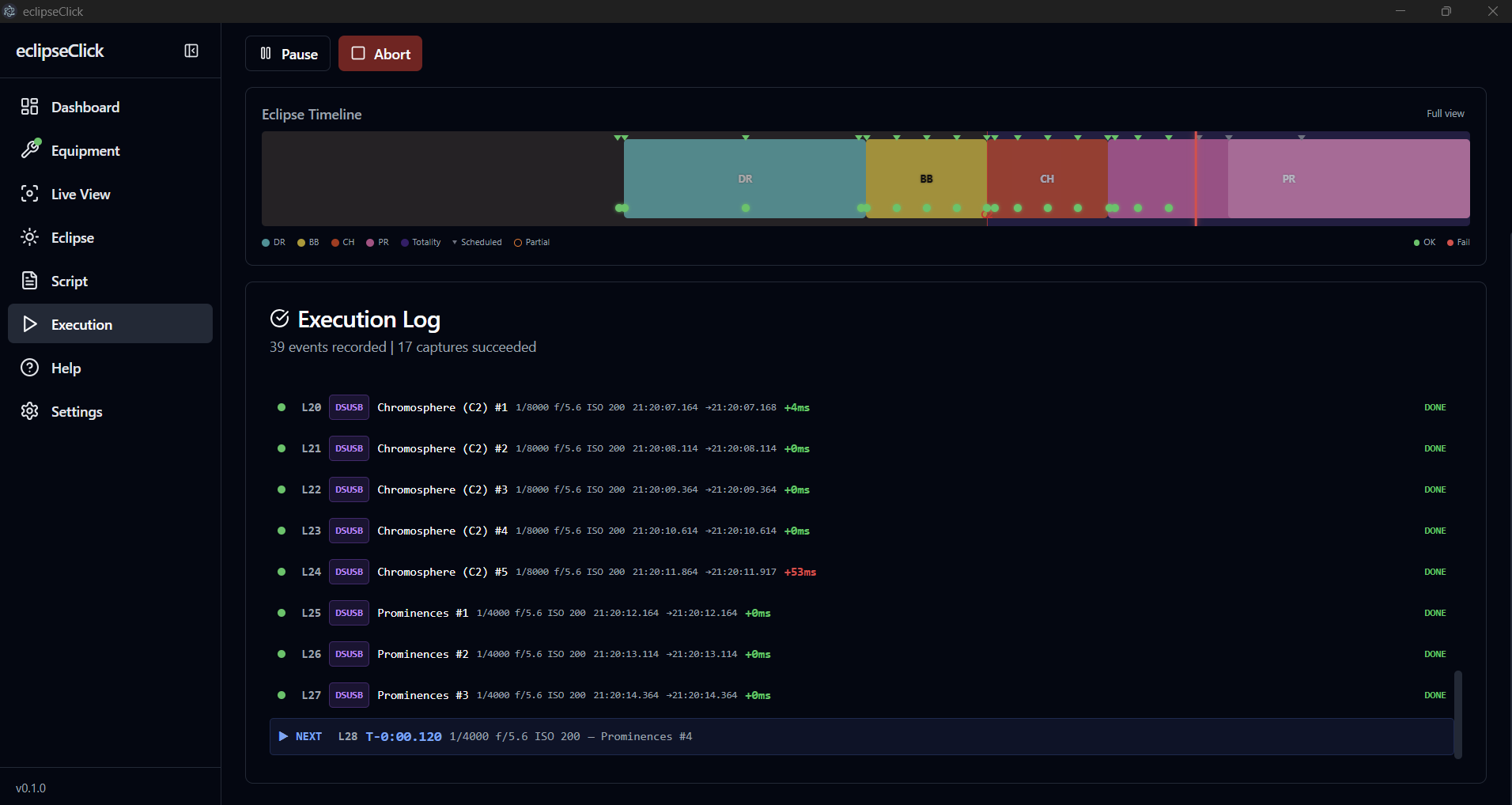
Execution Engine
When eclipse day arrives, eclipseClick's execution engine runs your script with sub-millisecond precision. Monitor every step in real time.
- Sub-millisecond timing precision
- Live execution monitor with status for each step
- Test / dry-run mode without a camera
- GPS time correction for atomic-level accuracy (Pro)
Interactive Map
Pro features availableVisualize the eclipse path on an interactive map. See totality zones, partial coverage, and plan your observation location.
- Eclipse path visualization with totality zone
- Click any location for local contact times
- Umbra and penumbra shadow visualization on the map (Pro)
- Eclipse-wide shadow animation independent of observer location (Pro)
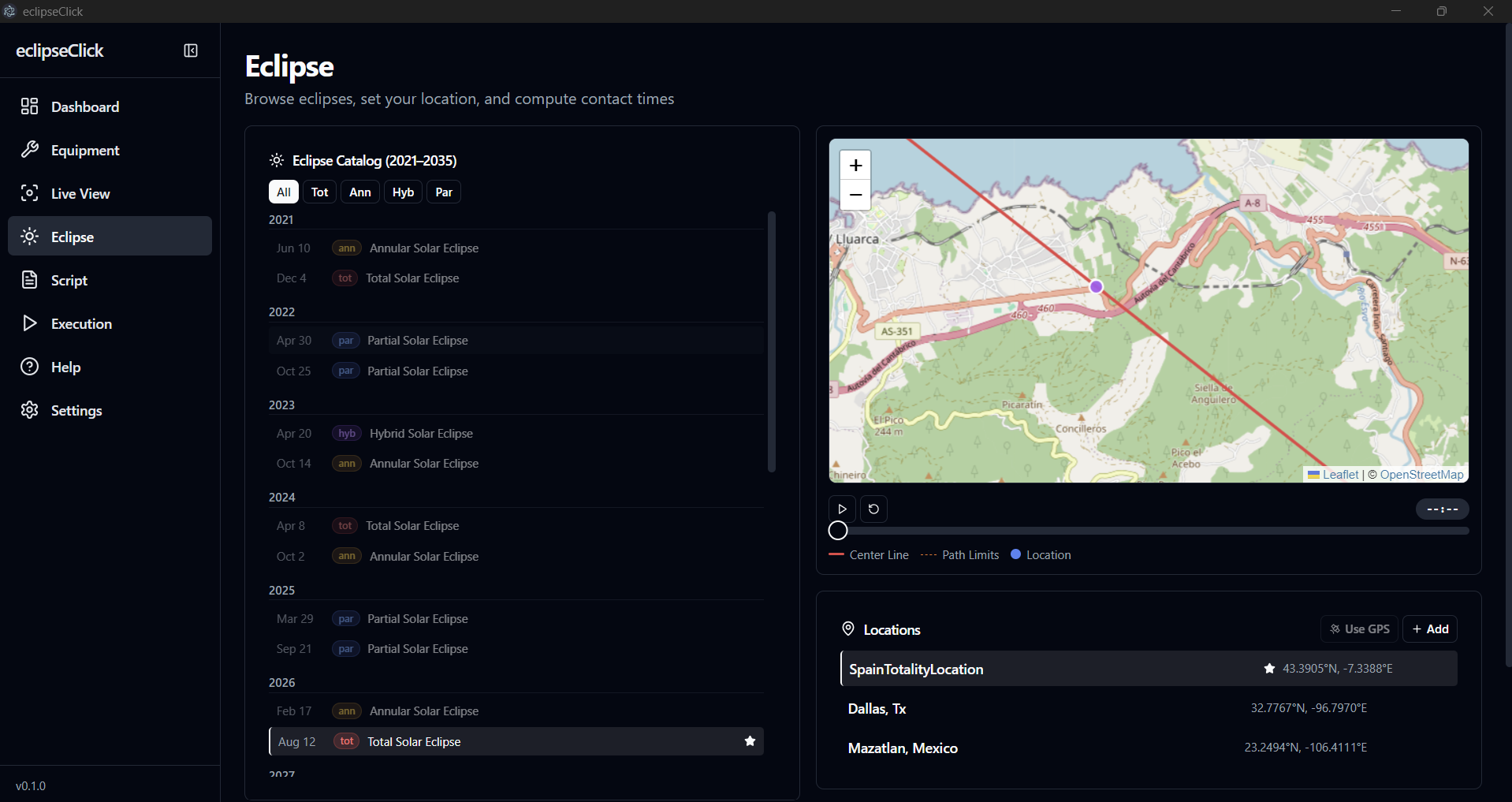
Location Management
Add locations by clicking the map, entering coordinates, or importing from GPS. Timezone, altitude, and contact times update automatically.
- Click the map to add a location — timezone and altitude auto-filled
- Manual location entry with just degrees (minutes/seconds optional)
- Safely delete locations even when referenced by scripts
- Contact times recomputed instantly when location changes
Live View & Focus Assist
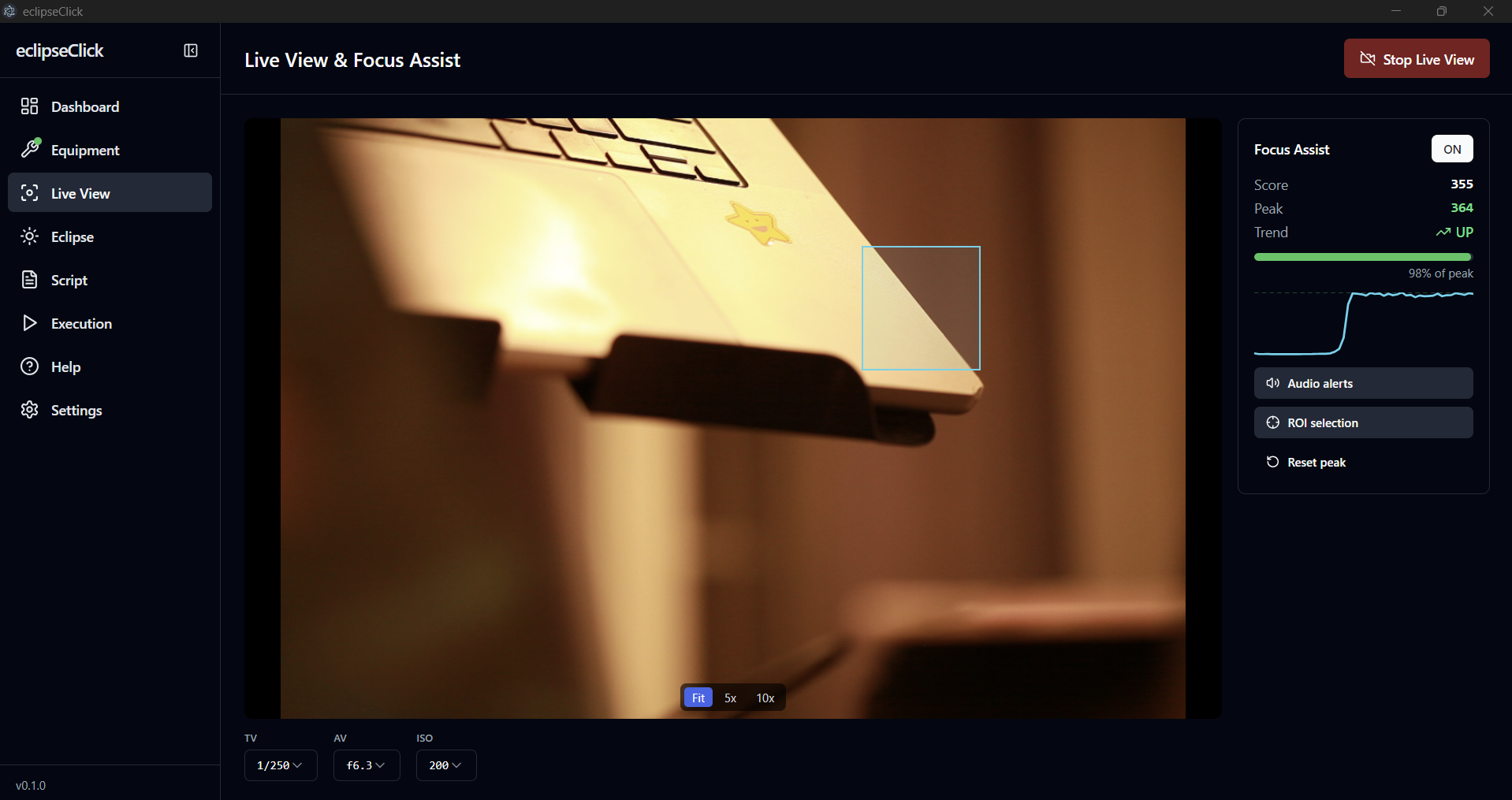
Stream your camera's live view directly in the app and dial in perfect focus with real-time sharpness analysis. Automated reminders ensure your focus is locked before totality.
- Real-time sharpness scoring with Laplacian variance analysis
- Peak focus tracking with trend indicator (improving / declining / stable)
- ROI selection — focus on the solar limb for maximum precision
- Sharpness sparkline graph shows your focus history over time
- Audio chime when peak focus is reached
- Automatic focus reminders escalating from 60 min to 1 min before C2
Crash Recovery & Auto-Reconnect
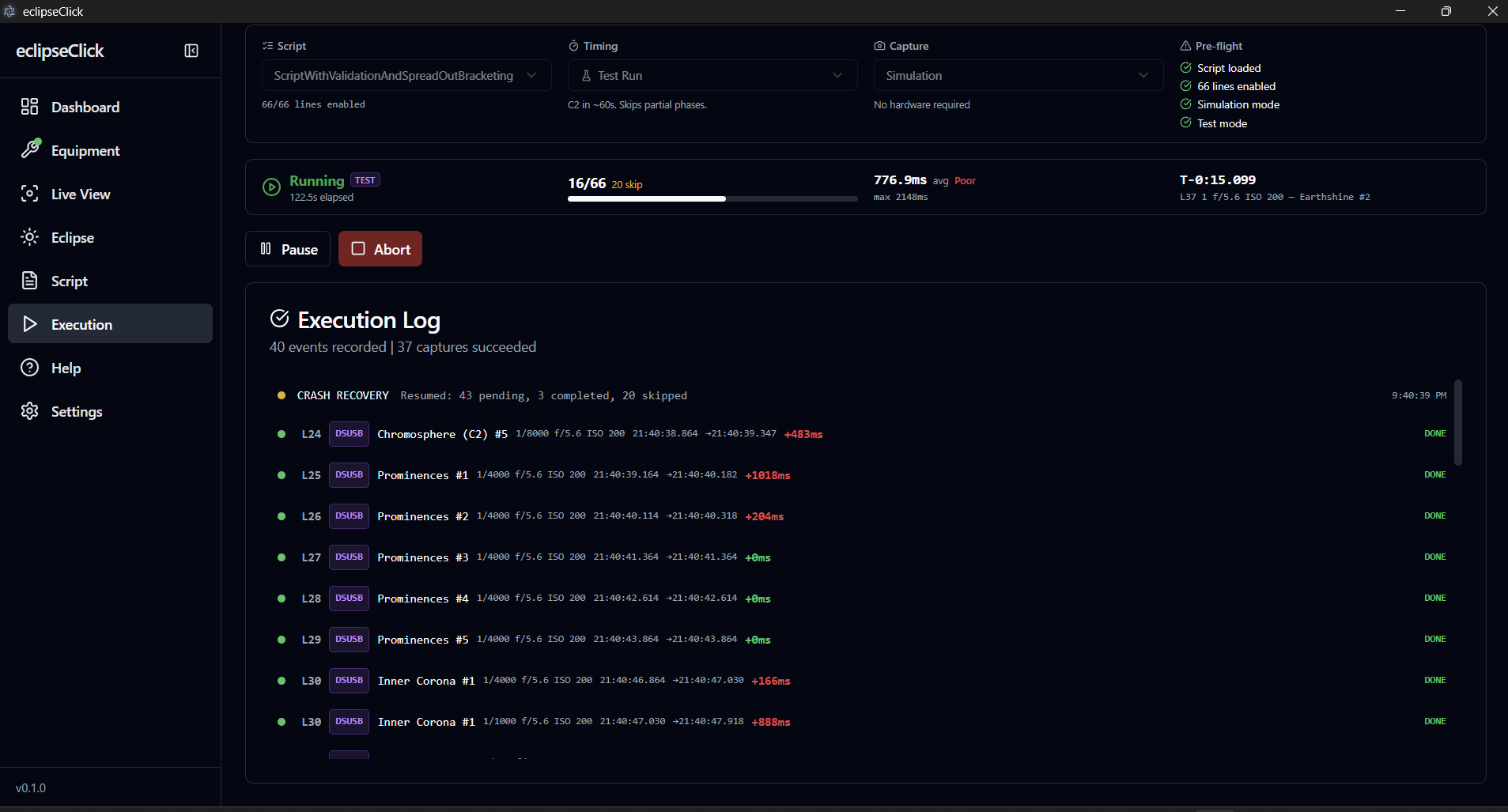
Totality waits for no one. Whether the app crashes, a USB cable comes loose, or the camera SDK bridge dies — eclipseClick detects it and recovers automatically. Zero interaction required.
- App crash: checkpoint saved to database, auto-resumes on restart with completed captures preserved
- Camera USB disconnect: detected instantly, polls every second, auto-reconnects within 3–7 seconds
- DSUSB unplug: detected within 2 seconds, auto-reconnects when re-plugged — no manual Connect needed
- Bridge crash: camera SDK process auto-restarts (up to 2 attempts), reconnects camera, resumes execution
- DSUSB write failure: retries command once with automatic reconnect before reporting error
- DSUSB safety interlock: all relays released on reconnect — stuck shutters close automatically
- Execution continues: individual captures during a disconnect window may fail, but future lines run normally
Ready to automate your eclipse photography?
Download for free or upgrade to Pro for the full feature set.